Architect Social Media Marketing That Makes Expertise Visible
A practical architecture-firm guide to showing process, judgment, constraints, sketches, materials, and project thinking in social posts that attract better-fit clients.
Architecture clients rarely hire a firm because of one beautiful finished photo. They hire because they trust the thinking that turns constraints into a buildable, livable, permitted, budget-aware design.
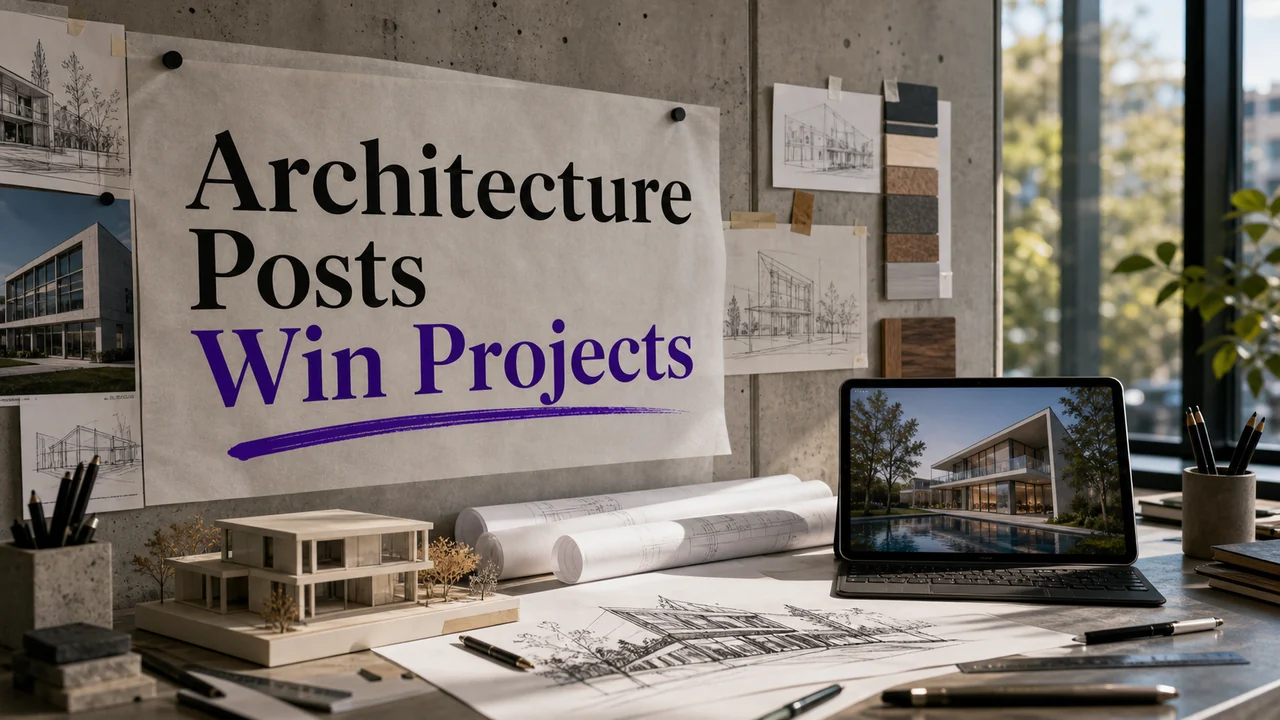
A polished exterior shot can impress people for five seconds. A sketch that explains why the stair moved, why the window shifted, or how the plan solved a daylight problem can make a serious client lean in. That is the difference between portfolio content and architecture marketing content.
Architects often have a strange social media problem: the best proof of expertise happens before the project looks photogenic. It happens in site analysis, adjacency diagrams, zoning constraints, material studies, massing options, redlines, client workshops, permitting strategy, and the thousand quiet decisions that keep a project from becoming expensive chaos.
Architecture audiences care about both inspiration and process. For a small firm, the best content often lives in the bridge between the two: enough visual interest to stop the scroll and enough process detail to prove judgment.
Site analysis, massing studies, redlines, section sketches, material palettes, zoning constraints, permit comments, circulation diagrams, daylight studies, finish boards, scale models, contractor coordination, before-and-after plans.
Show Judgment Before The Rendering
Clients do not only buy taste. They buy judgment. Use posts to show how you think through tradeoffs: view versus privacy, budget versus material ambition, daylight versus heat gain, open plan versus acoustic control, character versus code, speed versus custom detail.
A strong post can compare two early massing options and explain why one was rejected. Another can show a plan diagram with a caption about circulation. Another can show how a mudroom moved because the family's real entry point was not the formal front door.
Use architecture vocabulary, but translate it. Say 'massing study,' then explain that it tested how the building sits on the site. Say 'material palette,' then explain durability, maintenance, and cost. Say 'program,' then explain how daily use shapes the plan.
Turn Sketches Into Proof
Sketch posts are underrated because they show thinking at human speed. A sketch does not need to be pretty enough for a gallery. It needs to reveal a decision. Show parti diagrams, section sketches, envelope studies, window rhythm, roofline options, and notes from a client meeting.
A practical caption format: 'Problem: west-facing heat gain. Study: deeper overhang plus smaller punched openings. Decision: preserve evening light without cooking the living room.' That is the kind of detail that makes a potential client understand your value.
Audiences respond to design explanation when it is attached to visuals. Small firms can use that same principle without pretending every post is a magazine feature.
Make Constraints Interesting
The constraints are often the story. Zoning setbacks, historic review, steep lots, awkward additions, budget caps, stormwater requirements, HOA rules, accessibility needs, and contractor sequencing can all become useful content.
Clients with real projects know constraints exist. When you show how you handle them, you attract people who respect process. Post a 'constraint of the week' series: a tricky lot line, a ceiling height problem, a kitchen circulation issue, a permit comment, a material substitution that protected the budget.
Avoid complaining about clients, contractors, or reviewers. Frame constraints as design work. 'Here is how we kept the view while meeting the setback' is useful. 'Permitting is a nightmare' is not.
Use Finished Photos As Case Notes
A finished image should not stand alone. Add the decision that made the image possible. If you post a kitchen, explain the storage problem. If you post a facade, explain the orientation. If you post a stair, explain the spatial role. If you post a renovation, explain what was preserved and what had to change.
Think like a project note, not a product caption. Include project type, design challenge, one constraint, one decision, and one outcome. This gives homeowners, developers, or nonprofit boards a way to evaluate more than style.
Social posts can make architectural value tangible by showing the problem behind the photograph: constraints, tradeoffs, coordination, and the decisions that made the finished space possible.
Build Trust With Materials And Details
Material content works because clients worry about durability, budget, and taste. Show samples, mockups, stone slabs, millwork details, cladding tests, hardware choices, lighting temperature, flooring transitions, and finish boards.
Do not post a material flat lay with only 'mood board vibes.' Explain why the palette works: easy maintenance for a rental, warmer acoustics for a restaurant, slip resistance near a pool, lower replacement risk for a lobby, better aging for a family home.
A useful series: 'Why we chose this.' Each post covers one decision: fiber cement versus wood, quartz versus marble, black window frames versus bronze, polished concrete versus engineered wood, recessed lighting versus pendants.
Create Content For The Client's Buying Stage
Early-stage clients need education: what an architect does, when to hire, what to bring to the first meeting, how feasibility works, how long design takes. Mid-stage clients need process clarity: schematic design, design development, pricing, permitting, construction documents. Late-stage clients need proof: case studies, testimonials, built work, and contractor coordination.
Build posts for each stage. A founder considering a cafe buildout needs different content than a homeowner ready for construction documents. A developer wants to see repeatable judgment. A residential client may want to see listening and translation.
LinkedIn can be useful for process-heavy posts, while Instagram may carry sketches, materials, and finished visuals. The content should not be identical across platforms. Adapt the proof to the viewer's mindset.
An Architecture Content System Around Process
A practical monthly rhythm might look like this: one constraint post, one sketch post, one material decision, one finished-photo case note, one client FAQ, one site observation, and one behind-the-scenes studio post. That is not a generic content calendar. It follows how architecture work actually unfolds.
Keep a project decision log. When you move a wall, reject a material, change a window, clarify a brief, or solve a circulation problem, write one sentence about why. That log becomes captions later.
The best architecture content does not simply say 'we design beautiful spaces.' It shows how beauty survives real constraints.
A Studio Desk Playbook For Architecture Posts
Use the rejected option as teaching material. Clients learn a lot when they see why a design did not move forward. Maybe the window rhythm fought the facade, the stair consumed too much floor area, or the roof form complicated drainage. Rejection shows judgment.
Turn site visits into content that is not just a photo of boots. Show sun path notes, view corridors, drainage concerns, neighboring context, existing structure, access constraints, and where the best morning light lands. This helps clients see that design starts before drawing.
Explain drawing types. Many clients do not know the difference between schematic plans, design development, construction documents, renderings, sections, elevations, details, and redlines. A post that explains one drawing's job can prevent confusion later.
Use material samples as decision stories. Do not only show stone, tile, wood, and hardware. Explain durability, lead time, maintenance, budget effect, installation risk, and how the sample behaves in light. That is where design expertise becomes visible.
Make code and permitting less mysterious without pretending it is simple. Posts about setbacks, egress, accessibility, historic review, energy requirements, and plan check comments can show clients why architectural services protect the project.
For residential projects, post around daily use. Mudroom entry, pantry flow, morning light, acoustic separation, laundry location, pet storage, aging-in-place, and sightlines are more relatable than abstract design language.
For commercial clients, post around operational outcomes. Seat count, queue flow, back-of-house efficiency, restroom access, signage visibility, maintenance surfaces, and inspection readiness are design content with business relevance.
Use captions to separate taste from reasoning. 'We like this material' is weak. 'We chose this material because it handles wet shoes, warms the entry, and keeps replacement cost manageable' shows professional judgment.
Share coordination moments. A detail revised after contractor feedback, a lighting layout adjusted for a beam, or a finish changed because of lead time can show that architecture is an active process, not a static concept.
When posting finished work, add one plan-level note. Explain what changed between the existing condition and the final image. The photo attracts attention, but the plan note tells serious clients why the project worked.
Caption Starters From The Architecture Studio
-
Caption idea: This sketch is not the final design. It is the moment we tested whether the stair could bring light deeper into the plan without stealing too much floor area. Add one visual that proves the point, then end with the next step a customer should take. Keep the post narrow: one decision, one piece of proof, one action. If the caption starts drifting into general advice, cut it back to the specific moment the customer is facing.
-
Caption idea: Material choice is not only about color. This sample stayed in the palette because it handles wear, works with the budget, and still feels warm in afternoon light. Add one visual that proves the point, then end with the next step a customer should take. Keep the post narrow: one decision, one piece of proof, one action. If the caption starts drifting into general advice, cut it back to the specific moment the customer is facing.
-
Caption idea: The client wanted openness, but the site needed privacy. The solution was not bigger glass everywhere. It was controlled views, deeper reveals, and smarter orientation. Add one visual that proves the point, then end with the next step a customer should take. Keep the post narrow: one decision, one piece of proof, one action. If the caption starts drifting into general advice, cut it back to the specific moment the customer is facing.
-
Caption idea: A zoning setback shaped this massing more than the first rendering did. Constraints are not interruptions to design. They are often where design starts. Add one visual that proves the point, then end with the next step a customer should take. Keep the post narrow: one decision, one piece of proof, one action. If the caption starts drifting into general advice, cut it back to the specific moment the customer is facing.
-
Caption idea: Before the kitchen looked simple, the circulation was not. We moved the pantry entry so groceries, cooking, and cleanup stopped fighting each other. Add one visual that proves the point, then end with the next step a customer should take. Keep the post narrow: one decision, one piece of proof, one action. If the caption starts drifting into general advice, cut it back to the specific moment the customer is facing.
-
Caption idea: This redline saved confusion later. A clearer detail on paper is cheaper than a misunderstanding in the field. Add one visual that proves the point, then end with the next step a customer should take. Keep the post narrow: one decision, one piece of proof, one action. If the caption starts drifting into general advice, cut it back to the specific moment the customer is facing.
-
Caption idea: The finished photo shows the room. The section drawing explains why the ceiling height, window placement, and light quality work together. Add one visual that proves the point, then end with the next step a customer should take. Keep the post narrow: one decision, one piece of proof, one action. If the caption starts drifting into general advice, cut it back to the specific moment the customer is facing.
-
Caption idea: We rejected the first facade option because it looked balanced in elevation but felt heavy from the street approach. Add one visual that proves the point, then end with the next step a customer should take. Keep the post narrow: one decision, one piece of proof, one action. If the caption starts drifting into general advice, cut it back to the specific moment the customer is facing.
-
Caption idea: A good mudroom is not a leftover space. It is where shoes, coats, backpacks, pets, deliveries, and everyday mess get designed instead of ignored. Add one visual that proves the point, then end with the next step a customer should take. Keep the post narrow: one decision, one piece of proof, one action. If the caption starts drifting into general advice, cut it back to the specific moment the customer is facing.
-
Caption idea: For this commercial layout, queue flow mattered as much as finishes. A beautiful space that creates a bottleneck is not finished design. Add one visual that proves the point, then end with the next step a customer should take. Keep the post narrow: one decision, one piece of proof, one action. If the caption starts drifting into general advice, cut it back to the specific moment the customer is facing.
-
Caption idea: This finish board is a maintenance conversation. What looks good on install day also has to survive real use. Add one visual that proves the point, then end with the next step a customer should take. Keep the post narrow: one decision, one piece of proof, one action. If the caption starts drifting into general advice, cut it back to the specific moment the customer is facing.
-
Caption idea: Permit comments are not glamorous content, but they are part of turning a concept into something buildable. Add one visual that proves the point, then end with the next step a customer should take. Keep the post narrow: one decision, one piece of proof, one action. If the caption starts drifting into general advice, cut it back to the specific moment the customer is facing.
Architecture Content Mistakes To Retire
Posting only finished photography hides the thinking clients are actually buying. Add diagrams, constraints, material decisions, and rejected options. A better replacement is to show the real workflow behind the service, name the customer question it answers, and make the next step obvious. That keeps the post useful instead of merely decorative.
Using design language without translation can sound impressive but unhelpful. Explain massing, program, section, envelope, and circulation in client terms. A better replacement is to show the real workflow behind the service, name the customer question it answers, and make the next step obvious. That keeps the post useful instead of merely decorative.
Treating every project post like a magazine caption misses business value. Include challenge, constraint, decision, and outcome. A better replacement is to show the real workflow behind the service, name the customer question it answers, and make the next step obvious. That keeps the post useful instead of merely decorative.
Avoiding budget talk makes the firm seem less practical. You do not need to share numbers to explain cost-aware decisions. A better replacement is to show the real workflow behind the service, name the customer question it answers, and make the next step obvious. That keeps the post useful instead of merely decorative.
Showing materials only as aesthetics ignores durability, lead time, maintenance, installation risk, and user behavior. A better replacement is to show the real workflow behind the service, name the customer question it answers, and make the next step obvious. That keeps the post useful instead of merely decorative.
Skipping process posts until construction starts wastes months of content and hides the most valuable expertise. A better replacement is to show the real workflow behind the service, name the customer question it answers, and make the next step obvious. That keeps the post useful instead of merely decorative.
What To Capture Before The Project Looks Finished
-
Early massing options with a note about tradeoffs. Pair it with a short caption that explains why this detail matters to the customer. Capture it during normal work instead of staging a separate shoot, then save it for the exact week when that question, deadline, appointment, order, or booking decision is most likely to appear.
-
Site visit observations about sun, views, access, or context. Pair it with a short caption that explains why this detail matters to the customer. Capture it during normal work instead of staging a separate shoot, then save it for the exact week when that question, deadline, appointment, order, or booking decision is most likely to appear.
-
Sketches that explain circulation, section, or program. Pair it with a short caption that explains why this detail matters to the customer. Capture it during normal work instead of staging a separate shoot, then save it for the exact week when that question, deadline, appointment, order, or booking decision is most likely to appear.
-
Material samples photographed with decision notes. Pair it with a short caption that explains why this detail matters to the customer. Capture it during normal work instead of staging a separate shoot, then save it for the exact week when that question, deadline, appointment, order, or booking decision is most likely to appear.
-
Permit or code challenge explained without client details. Pair it with a short caption that explains why this detail matters to the customer. Capture it during normal work instead of staging a separate shoot, then save it for the exact week when that question, deadline, appointment, order, or booking decision is most likely to appear.
-
Construction detail redline that prevented confusion. Pair it with a short caption that explains why this detail matters to the customer. Capture it during normal work instead of staging a separate shoot, then save it for the exact week when that question, deadline, appointment, order, or booking decision is most likely to appear.
-
Before plan and revised plan with one clear reason. Pair it with a short caption that explains why this detail matters to the customer. Capture it during normal work instead of staging a separate shoot, then save it for the exact week when that question, deadline, appointment, order, or booking decision is most likely to appear.
-
Finished photo paired with the drawing that made it work. Pair it with a short caption that explains why this detail matters to the customer. Capture it during normal work instead of staging a separate shoot, then save it for the exact week when that question, deadline, appointment, order, or booking decision is most likely to appear.
Quick Content Prompts You Can Use This Week
- Which design decision protected the budget or improved daily use? Turn this into one post with one visual, one practical explanation, and one clear next step.
- What sketch explains the project better than the finished render? Turn this into one post with one visual, one practical explanation, and one clear next step.
- Which constraint turned into a better solution? Turn this into one post with one visual, one practical explanation, and one clear next step.
- What material choice deserves a plain-English explanation? Turn this into one post with one visual, one practical explanation, and one clear next step.
The best profession-specific content does not start with a trend. It starts with a real customer decision and shows the proof that helps that decision feel easier.
Architecture social media gets better when it stops behaving like a finished-photo archive. Finished work matters, but process is where clients learn whether you can handle their messy, specific, expensive reality.
Show the sketch, the constraint, the rejected option, the material decision, and the case note behind the image. That is how expertise becomes visible before a prospect ever books a consultation.
Ready to Make Your Expertise Visible?
You have identified the problem. You have seen what it is costing you. The only question now is when you decide to fix it. Check the link below to learn how Brandstorm.app can create marketing that sells projects.
DESIGN YOUR NEW MARKETING STRATEGY TODAY!